
March 31, 2025 · Michael Lynn
AI-Powered Mermaid Diagram Generator
A tool that leverages AI to generate Mermaid diagrams from natural language descriptions, making technical diagramming accessible to everyone
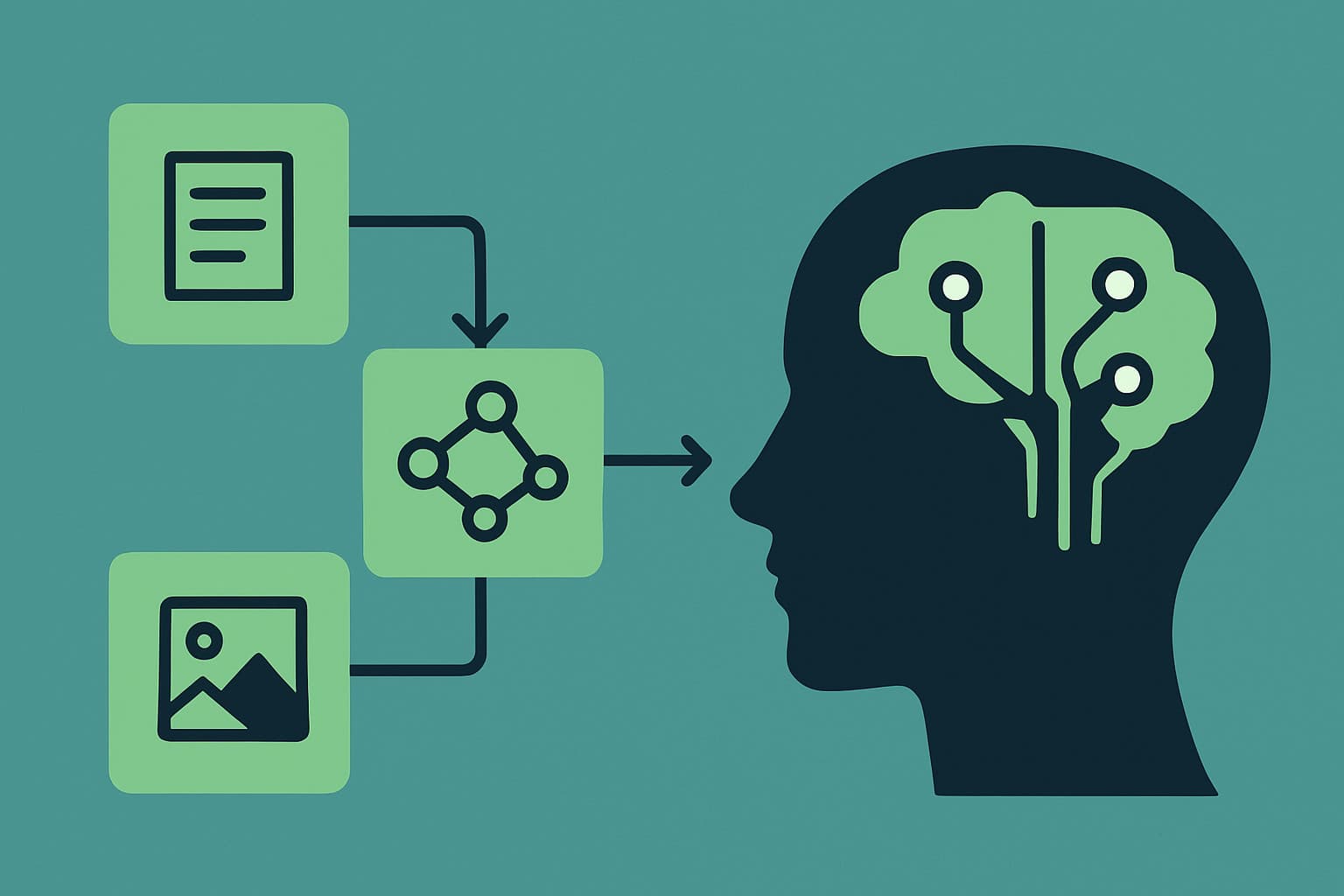
AI-Powered Mermaid Diagram Generator
Creating technical diagrams traditionally requires specialized tools and knowledge of diagramming conventions. This project solves that challenge by allowing users to generate Mermaid diagrams using simple natural language descriptions.
Project Overview
The AI Diagram Generator is a web-based tool that leverages OpenAI's powerful language models to transform plain English descriptions into syntactically correct Mermaid diagram code. The generated diagrams can be customized, downloaded in various formats, and used in documentation, presentations, or technical discussions.
AI Diagram Generator Architecture
flowchart LR
  User([User]) --> UI[Web Interface]
  UI --> API[API Endpoint]
  API --> OpenAI[(OpenAI API)]
  OpenAI --> API
  API --> UI
  UI --> Mermaid[Mermaid Renderer]
  Mermaid --> Export[Export Module]

  classDef primary fill:#3498db,stroke:#2980b9,color:white;
  classDef secondary fill:#2ecc71,stroke:#27ae60,color:white;
  classDef tertiary fill:#f39c12,stroke:#e67e22,color:white;

  class UI,Mermaid primary;
  class API,OpenAI secondary;
  class Export tertiary;
Key Features
- Natural Language Input: Describe diagrams in plain English
- Multiple Diagram Types: Support for flowcharts, sequence diagrams, class diagrams, and more
- Diagram Type Selection: Option to specify the type of diagram you want to create
- Export Options: Download diagrams as SVG or PNG
- Code Access: View and copy the generated Mermaid code
- Regeneration: Easily regenerate or refine diagrams
- Example Gallery: Browse examples of different diagram types
- Educational Resources: Learn about Mermaid syntax and diagram best practices
Technical Implementation
The project is built with modern web technologies and integrates with OpenAI's API for the AI-powered diagram generation.
Tech Stack
Next.js 14
React
Material UI
OpenAI API
Mermaid.js
html-to-image
Core Components
The system consists of several key components that work together:
1. User Interface
The UI is built with React and Material UI, providing an intuitive interface for users to describe their diagrams and view the results. It includes:
- A text input area for diagram descriptions
- Diagram type selection dropdown
- Generate/regenerate buttons
- Real-time diagram preview
- Download and copy options
- Example prompts for inspiration
2. API Endpoint
A serverless function processes user requests and communicates with the OpenAI API:
javascript code-highlight// API endpoint for diagram generation
export async function POST(request) {
// Parse request
const { prompt, diagramType } = await request.json();
// Create instructions based on diagram type
let instructions = diagramType
? `Create a Mermaid diagram of type '${diagramType}'...`
: 'Create an appropriate Mermaid diagram...';
// Call OpenAI API with tailored prompt
const response = await fetch('https://api.openai.com/v1/chat/completions', {
method: 'POST',
headers: {
'Content-Type': 'application/json',
'Authorization': `Bearer ${process.env.OPENAI_API_KEY}`,
},
body: JSON.stringify({
model: 'gpt-4o',
messages: [
{
role: 'system',
content: 'You are a diagram generator specialized in creating Mermaid diagrams...'
},
{
role: 'user',
content: `${instructions}\n\nDescription: "${prompt}"\n\n...`
}
],
temperature: 0.7,
max_tokens: 2048,
}),
});
// Process and return the diagram code
const data = await response.json();
const mermaidCode = data.choices[0].message.content.trim();
// Clean up the code
const cleanedMermaidCode = mermaidCode
.replace(/^```mermaid\n/g, '')
.replace(/^```\n/g, '')
.replace(/\n```$/g, '')
.trim();
return NextResponse.json({ mermaidCode: cleanedMermaidCode });
}
3. Mermaid Renderer
The Mermaid library is used to render the generated code into visual diagrams:
javascript code-highlight'use client';

import React, { useEffect, useRef, useState } from 'react';
import { Box, Typography, Paper, CircularProgress } from '@mui/material';

const MermaidDiagram = ({ chart, title, caption }) => {
  const [loading, setLoading] = useState(true);
  const [error, setError] = useState(null);
  const containerRef = useRef(null);

  useEffect(() => {
    const renderDiagram = async () => {
      try {
        setLoading(true);

        // Import mermaid dynamically
        const mermaid = (await import('mermaid')).default;

        // Initialize mermaid with configuration
        mermaid.initialize({
          startOnLoad: false,
          theme: document.documentElement.classList.contains('dark')
            ? 'dark'
            : 'default',
        });

        // Generate SVG
        const { svg } = await mermaid.render(
          `mermaid-diagram-${Math.random().toString(36).substr(2, 9)}`,
          chart
        );

        // Add SVG to container
        if (containerRef.current) {
          containerRef.current.innerHTML = svg;
        }

        setLoading(false);
      } catch (err) {
        console.error('Error rendering Mermaid diagram:', err);
        setError(`Error rendering diagram: ${err.message}`);
        setLoading(false);
      }
    };

    renderDiagram();
  }, [chart]);

  // Component rendering logic...
};

export default MermaidDiagram;
4. Export Module
The export functionality uses the html-to-image library to capture diagrams as PNG files:
javascript code-highlight// PNG export functionality
const captureAsPNG = async () => {
  if (!diagramRef.current) return;

  try {
    // Dynamically import html-to-image for client-side only
    const htmlToImage = await import('html-to-image');

    // Create a PNG from the diagram container
    const dataUrl = await htmlToImage.toPng(diagramRef.current, {
      quality: 0.95,
      backgroundColor: 'white'
    });

    // Create a download link and trigger the download
    const link = document.createElement('a');
    link.href = dataUrl;
    link.download = 'diagram.png';
    document.body.appendChild(link);
    link.click();
    document.body.removeChild(link);

    // Show success message
    setSnackbarMessage('Diagram downloaded as PNG');
    setSnackbarOpen(true);
  } catch (error) {
    console.error('Error capturing diagram as PNG:', error);
    setError('Failed to download diagram as PNG');
  }
};
Diagram Type Examples
The tool supports a variety of diagram types, each suited for different documentation needs:
Flowcharts
Flowcharts visualize processes and decision paths:
flowchart TD
  Start([Start]) --> Auth{Authenticated?}
  Auth -->|Yes| Dashboard[Dashboard]
  Auth -->|No| Login[Login Page]
  Login --> Credentials{Valid?}
  Credentials -->|Yes| Dashboard
  Credentials -->|No| Login
  Dashboard --> Logout([End])
Sequence Diagrams
Sequence diagrams show interactions between components over time:
sequenceDiagram
  participant User
  participant API
  participant DB
  User->>API: Request Data
  activate API
  API->>DB: Query Data
  activate DB
  DB-->>API: Return Results
  deactivate DB
  API-->>User: Response
  deactivate API
Entity Relationship Diagrams
ER diagrams visualize database entities and relationships:
erDiagram
  CUSTOMER ||--o{ ORDER : places
  ORDER ||--|{ ORDER_ITEM : contains
  PRODUCT ||--o{ ORDER_ITEM : "ordered in"
  CUSTOMER {
      string name
      string email
  }
  ORDER {
      int id
      date created_at
  }
Class Diagrams
Class diagrams show structure and relationships in object-oriented design:
classDiagram
  class User {
      +String username
      +String email
      +login()
      +logout()
  }
  class Post {
      +String title
      +String content
      +Date created
      +publish()
  }
  User "1" --> "*" Post: creates
Gantt Charts
Gantt charts display project schedules and timelines:
gantt
  title Project Schedule
  dateFormat  YYYY-MM-DD
  section Planning
  Requirements    :a1, 2023-01-01, 10d
  Design          :a2, after a1, 15d
  section Development
  Implementation  :a3, after a2, 25d
  Testing         :a4, after a3, 10d
AI Prompt Engineering
The quality of generated diagrams heavily depends on the prompts sent to the OpenAI API. Through extensive testing, I developed a prompt framework that produces consistent, high-quality results:
- System Role: The AI is assigned a specialized role as a diagram generator
- Type-Specific Instructions: Different instructions based on the diagram type
- Clear Guidelines: Explicit instructions on style, organization, and syntax
- Focused Output: Instructions to return only the Mermaid code
This approach significantly improves the quality and consistency of the generated diagrams compared to simple, unconstrained prompts.
User Experience Design
The user interface is designed to be intuitive and accessible for both technical and non-technical users:
flowchart TD
  subgraph "User Flow"
  A[Enter Description] --> B[Select Diagram Type]
  B --> C[Generate Diagram]
  C --> D{Satisfied?}
  D -->|No| E[Edit or Regenerate]
  E --> C
  D -->|Yes| F[Export or Copy]
  end

  style A fill:#bbdefb,stroke:#2196f3,stroke-width:2px
  style B fill:#bbdefb,stroke:#2196f3,stroke-width:2px
  style C fill:#c8e6c9,stroke:#4caf50,stroke-width:2px
  style D fill:#ffecb3,stroke:#ffc107,stroke-width:2px
  style E fill:#ffccbc,stroke:#ff5722,stroke-width:2px
  style F fill:#d1c4e9,stroke:#673ab7,stroke-width:2px
Key UX considerations include:
- Progressive Disclosure: Complex options are hidden until needed
- Instant Feedback: Real-time diagram rendering
- Error Handling: Clear error messages and recovery options
- Example Library: Ready-to-use examples for inspiration
- Educational Content: Tips and explanations for better results
Challenges and Solutions
Challenge 1: Inconsistent AI Outputs
Early testing showed that the AI would sometimes generate invalid Mermaid syntax or include markdown formatting.
Solution: Implemented a specialized prompt engineering approach and added code cleanup to strip markdown artifacts.
Challenge 2: Diagram Complexity Management
Complex descriptions sometimes resulted in overcomplicated, unreadable diagrams.
Solution: Added specific guidelines for the AI to prioritize clarity and readability, with instructions to focus on key elements.
Challenge 3: Export Quality
Initial PNG exports had quality issues, particularly with text rendering.
Solution: Implemented a custom rendering approach that ensures high-quality exports with proper text rendering and background handling.
Real-World Applications
Example
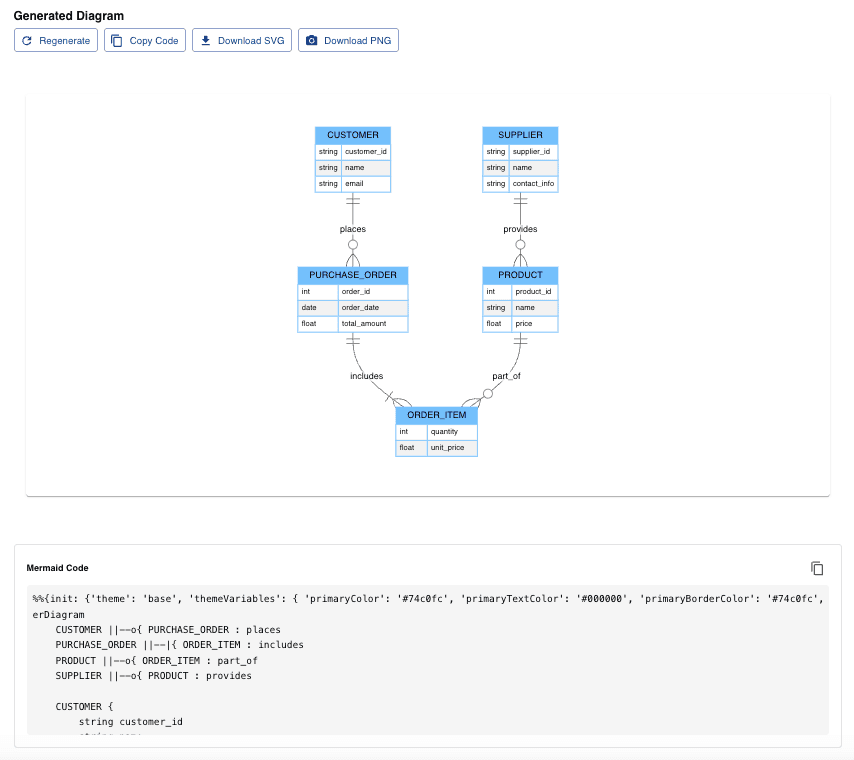
The AI Diagram Generator has numerous practical applications:
- Software Documentation: Create architecture diagrams, component relationships, and process flows
- Project Planning: Develop Gantt charts and workflow diagrams
- Database Design: Generate entity-relationship diagrams
- Educational Materials: Create visual explanations for technical concepts
- Presentations: Add professional diagrams to slide decks
- Technical Discussions: Quickly visualize ideas during meetings
Future Enhancements
Several enhancements are planned for future versions:
- Diagram Editing: Direct editing of generated diagrams
- Theme Customization: More control over colors and styles
- Diagram Library: Save and reuse frequently used diagrams
- Collaborative Editing: Real-time collaboration on diagrams
- Integration API: Embed the generator in other applications
- Enhanced Styling: More advanced styling options for diagrams
Conclusion
The AI Diagram Generator demonstrates how AI can simplify technical tasks that traditionally required specialized knowledge. By combining the natural language capabilities of modern AI with the visualization power of Mermaid, this tool makes diagramming accessible to everyone, regardless of their technical background.
This project showcases the potential of AI as a creativity and productivity enhancer, empowering users to quickly create professional-quality diagrams with minimal effort.
Try the AI Diagram Generator yourself and transform your ideas into clear, professional diagrams in seconds.